Free forever
No price, no account, no trial period and no upgrade tier. The badge on the banner is not a launch promotion, it is the entire distribution model.


A file manager for people who never quite got over 1989.

Two panels side by side, a function key bar along the bottom, and the whole of your disk one keystroke away.
Nostalgia Commander brings the shape of Norton Commander to machines it never ran on. Not an emulator and not a museum piece — a native program, written from scratch, that happens to have spent its childhood in 1989.
Point it at a directory and it reads it once. Move the cursor and nothing else happens: no spinner, no lazy second pass, no waiting to find out what you are standing on. That is the whole design, and everything else is arranged around it.
No price, no account, no trial period and no upgrade tier. The badge on the banner is not a launch promotion, it is the entire distribution model.
Built natively on Windows, macOS and Linux using the same code to give you a native yet familiar feel no matter where you run it.
If you used Norton Commander you already know where everything is. If you did not, it takes about ten minutes, and then you will wonder why every other file manager hides things behind a menu.
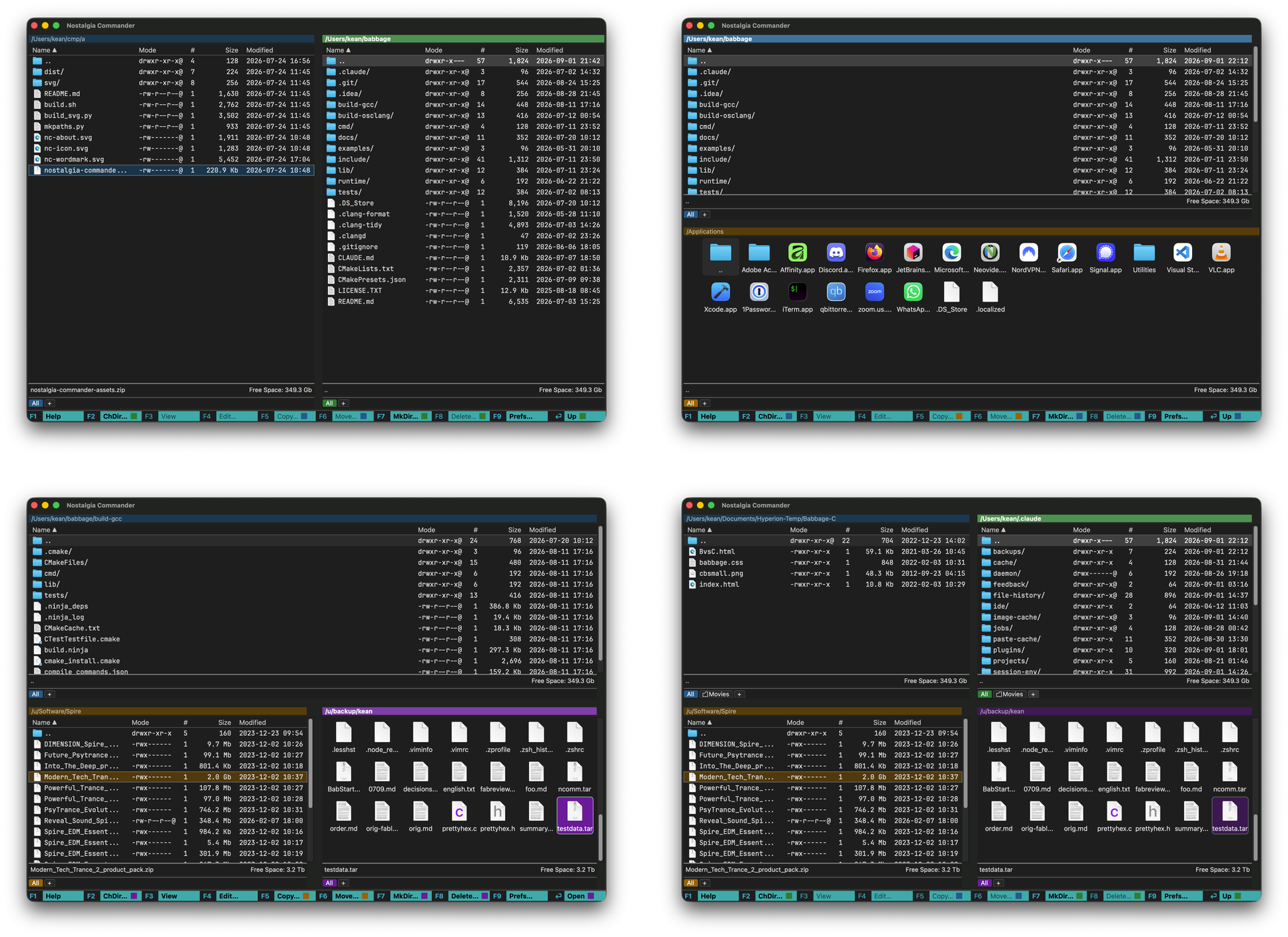
A directory tree down one side and a listing down the other. Or an archive opened as though it were a folder, or a single file's contents filling the panel whole. Two, three or four of them at a time, in a layout you pick.
Every panel keeps its own directory history, its own sort order and its own set of marked files. Change the layout and none of that is disturbed.
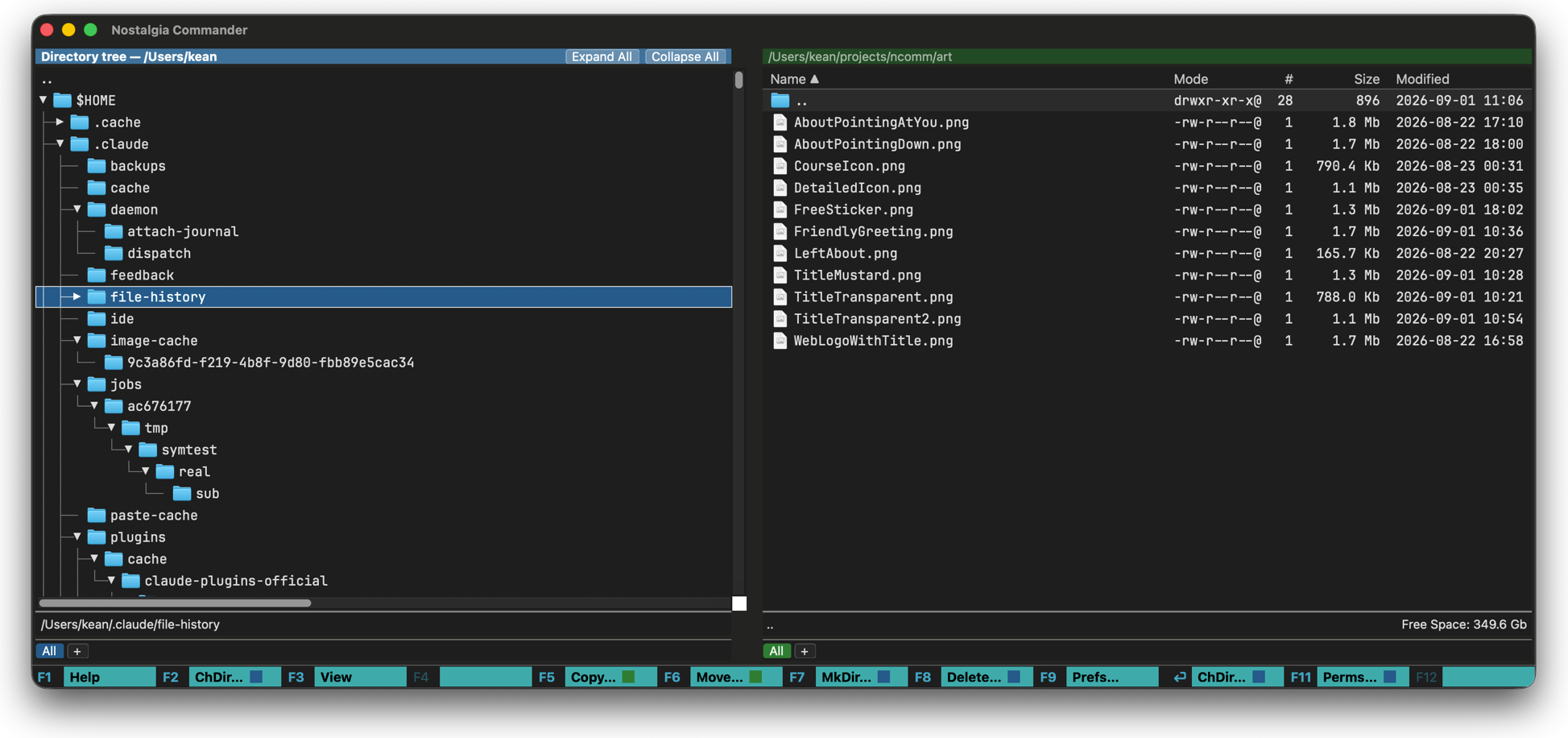
Using the libarchive library, open and navigate around a broad range of archive and container types, including ISO images, streaming archives like UNIX tar files, and archive containers like ZIP. Easily copy files out of archives onto your local disk.
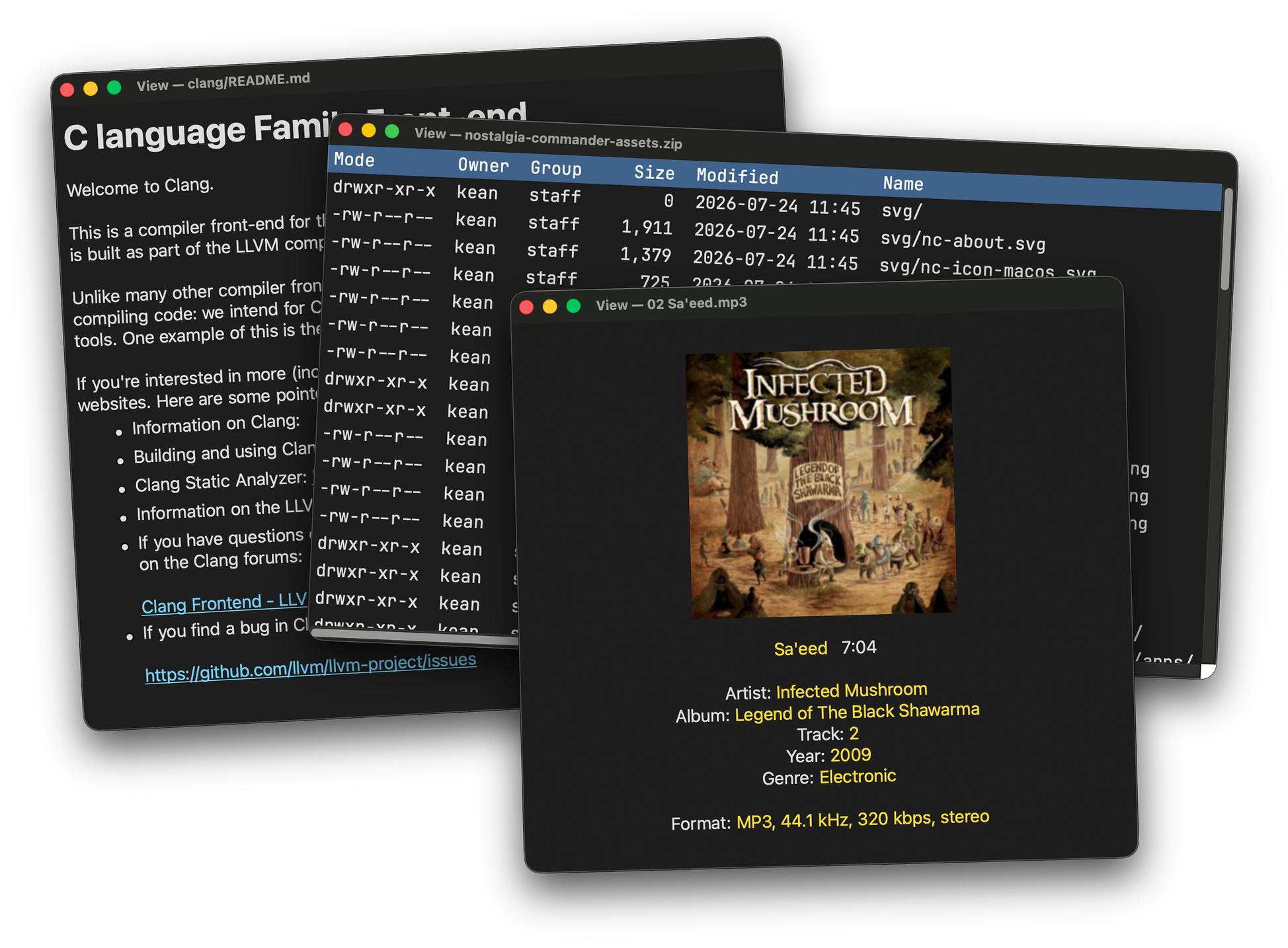
View things like PNG, JPG, ICO and many others. Display format and EXIF data embedded in images. All without leaving the Commander. No external programs needed or launched. Of course if you WANT to launch a program simply press ENTER.
Contains built-in PDF and HTML viewers based on the latest browser technology. If speed is critical, use simpler HTML 3.2 views. Useful for viewing saved web content.
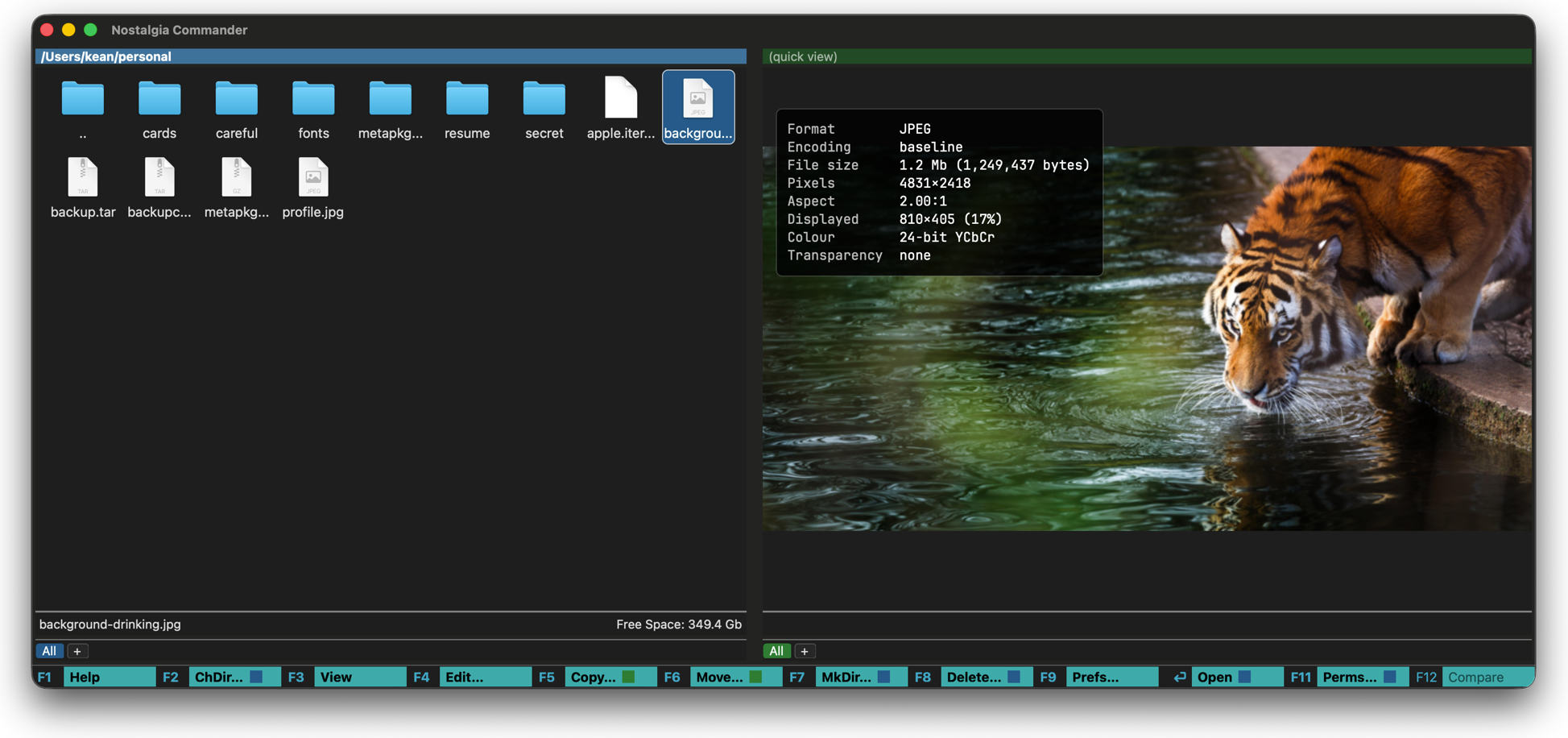
Put one panel on a file and the next one shows you what is in it. A picture arrives with its format, its real dimensions and whatever the camera left behind in its EXIF, laid over the image itself instead of buried in a properties dialog three clicks away.
A panel can show its files as a listing or as icons, whichever suits what you are hunting for — a name, or a picture you would recognise on sight.
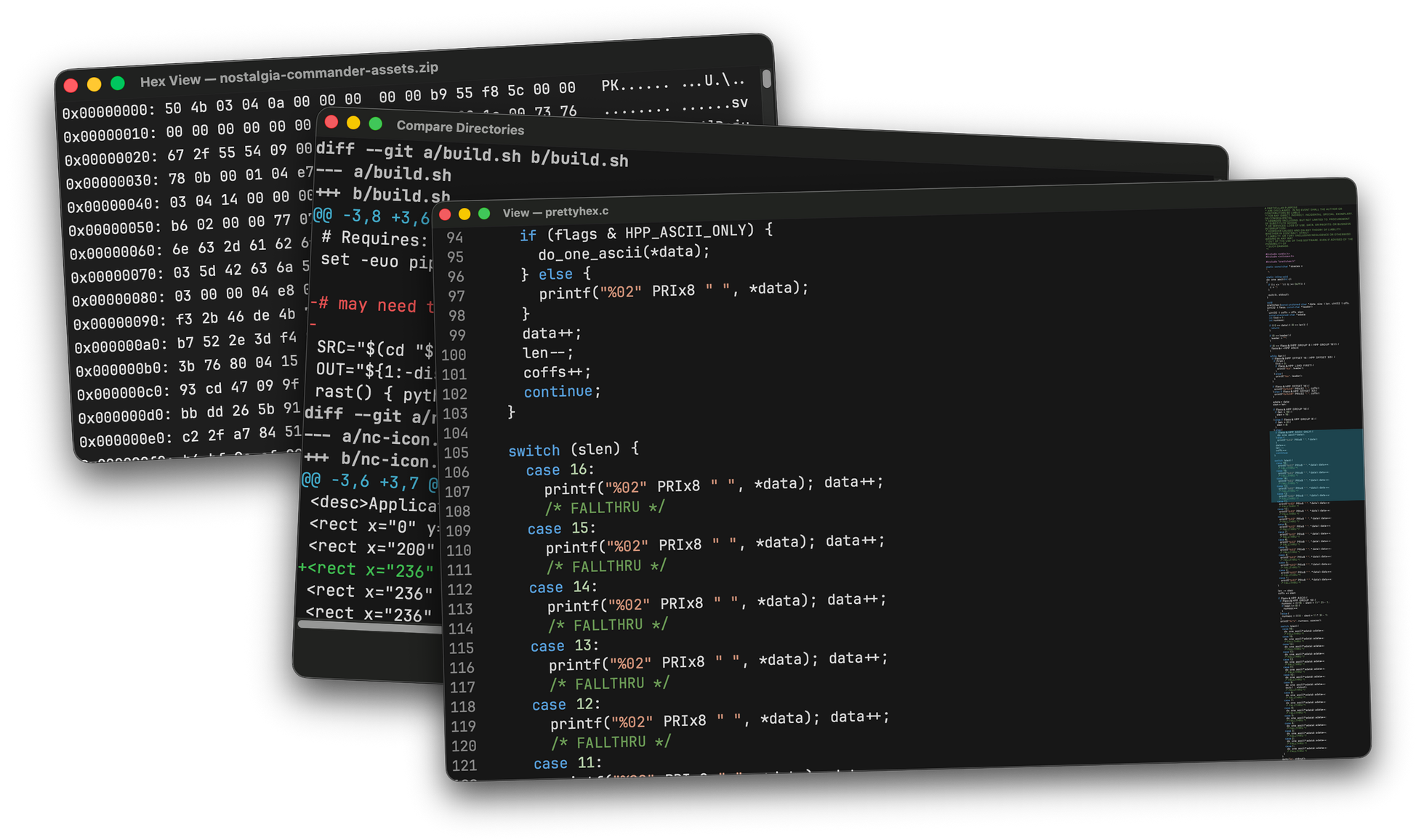
If you are a power user or a developer, you will appreciate the speed and convenience of the built in hex viewer, chromatic file contents complete with minimap, and directory tree comparison. These are not a replacement for specialist tools that do the same thing but convenient built-in shortcuts that help you navigate to where you want to deploy those tools more efficiently.
Instantly view markdown files either rendered or as raw text, view the contents of archives without extracting them, view media metadata, all from the same interface, all at lightning speed. The Commander makes navigating a diverse collection of files easy and fun.
... is 3, or even 4. Not content with just providing you with the normal side by side panels of traditional file managers, the Commander allows you to set up 3 or even 4 panels in a number of different ways, the better to suit your taste and needs. Options allow you to add or remove information from panels to tailor them to your exact needs, and your layouts are always remembered.
If you like the Nostalgia Commander and find it useful, please spread the word and tell a friend. It's the only thing I ask, so that I can keep track of users and interest. If you have any ideas or requests for improvement please mail support@nostalgiacommander.com and I promise I will get back to you as quickly as possible. Just remember that the purpose of the tool is to be lean and easily portable so I will not be adding the kitchen sink, but if you have a problem you feel the Commander should be able to solve, I would love to hear from you.



Questions, problems or ideas? Join us on the Nostalgia Commander Discord server at https://discord.gg/YEkRZjMHM9